


Magic: Online Video Chat
4.018.00 Reviews
App Specs
- Version
- 1.2.1
- Updated On
- License
- Free
- Downloads
- 5,000,000+
- Developer
- Hong Senwei
- Categories
- Personalization
- Platform
- Android
Screenshots


 Analysis by AppCompare
I approached Magic: Online Video Chat as a personalization app with a very specific social purpose: helping adults meet people through video conversations, dating, friendship, and random matching. That focus makes it more immediate than a typical profile-based social network, but it also means the first few minutes matter a lot. If the camera, microphone, connection, or matching flow feels awkward, the whole experience can seem unreliable even when the underlying problem is somewhere else.
My overall impression is that Magic is best understood as a quick, spontaneous conversation tool rather than a complete dating platform. It is free to install, carries a Mature 17+ rating, and comes from Hong Senwei. The app has reached over five million installs and holds a 4.0 average from around eight thousand ratings, so it is not an obscure experiment with no audience. At the same time, its adult video-chat focus demands more care than a casual wallpaper or messaging app. I would use it with clear boundaries, realistic expectations, and a willingness to leave a conversation that feels uncomfortable.
Getting past the first points of friction
The most common place I would expect a new user to hesitate is before the first useful conversation: opening the app, understanding what it wants to do, and getting a match that actually feels worth continuing. Magic’s store summary combines several ideas—adult video chat, dating, making friends, and random matching—so it is easy to arrive without knowing whether the next step should be a conversation, a dating interaction, or simply browsing for someone new. I found that treating the app as a live conversation service, rather than expecting a carefully organized dating catalogue, creates a more accurate expectation.
Random matching is appealing because it removes much of the effort involved in building a profile and waiting for a response. The trade-off is control. A conventional dating app usually gives me more time to inspect profiles, compare interests, and decide whom to contact. Magic’s appeal is speed, but speed also produces mismatches. Someone looking for a relaxed chat may encounter a person seeking romance, while another user may want a more adult conversation than expected. I would decide my limits before starting instead of trying to work them out while a stranger is already on screen.
Another point of friction is the difference between an app that is technically ready and one that is practically ready. A phone may have a working camera, yet the lens can be covered, pointed at a dark room, or blocked by a case. A microphone may function in other apps while being unavailable to this one. A weak Wi-Fi signal can also make a video interaction appear to fail randomly. Before blaming Magic, I would test the phone’s camera and microphone in a familiar app, move somewhere with steadier reception, and close other video-heavy apps.
That small preparation is especially useful for random matching. When a match is brief, there is little patience for repeated reconnecting or “can you hear me?” exchanges. A stable position, front-facing camera, and quiet setting make the conversation easier for both people. I would also keep the phone charged, because video chat is more demanding than text messaging and a low battery can turn a promising conversation into an abrupt exit.
What to check before starting a conversation
I would begin with the basics rather than changing several things at once. Confirm that the app is installed on a device running Android 6.0 or later, then make sure the current installation is version 1.2.1 or a newer update if one is offered through the relevant app marketplace. If the app opens but the video function behaves strangely, restarting the app is a sensible first step. If that does not help, restarting the phone can clear a temporary camera or network conflict without changing account decisions or conversation preferences.
Worth Reading Before You Choose

EA SPORTS FC Mobile 26 Is a Bigger Football Game, but It Takes Time

Flipboard Shows What News Apps Must Do Beyond the Feed

Switching to Android Auto Means Rethinking Your Driving Routine

Google Calendar Makes a Crowded Week Easier to Manage

Ludo King Makes the Most of the Minutes Between Plans

Baby Panda World Brings Quick Play to Modern Phones, but Its Game Library Feels Busy
The next check is the connection. Video chat needs more consistency than sending a message, so a connection that feels fine for browsing may still struggle with live video. I would try one network at a time: first a reliable Wi-Fi connection, then mobile data if available, or the reverse. Switching back and forth repeatedly can make diagnosis harder. If the problem disappears on one connection, the issue may be the network rather than Magic itself.
It is also worth checking whether another app is using the camera or microphone. A video call, recording tool, browser tab, or social app left open in the background can interfere with access. Closing those apps and reopening Magic gives the phone a clean chance to assign the hardware. I would avoid installing unofficial “fixer” tools or changing advanced phone settings before trying these simple checks.
Because this is an adult-oriented service, I would pay attention to the age expectation before installing it on a shared device. The Mature 17+ rating is not a decorative label; it signals that the app is not intended for children. Parents should not treat a general phone lock as enough protection if a younger person can access the device. For an adult user, the practical lesson is to use a private setting and avoid displaying personal documents, home details, workplace information, or other people in the background.
Privacy is also part of setup, even when the immediate goal is simply to meet someone. I would choose a neutral background, remove visible mail or identification, and avoid giving out a full name, address, employer, or financial information during an early conversation. A video chat can feel more personal than text because the other person sees the surroundings as well as the face. That extra context is useful for connection, but it can reveal more than intended.
Recovering when a match or call goes wrong
When a conversation stops unexpectedly, I would not assume that the other person deliberately ended it or that the app has lost the account. Live sessions can fail for ordinary reasons: a change in signal, a phone switching networks, the other user closing the app, or a temporary problem on either device. The calm recovery path is to return to the matching screen, wait briefly, and try again once. Repeatedly tapping buttons or reopening the same screen can make a temporary delay feel like a larger failure.
If Magic freezes, I would close it fully and relaunch it. On Android, clearing temporary app cache can be a reasonable next step if the phone provides that option, but I would be careful not to erase stored app data unless I understand what may be removed. That distinction matters: clearing a cache is different from resetting the app. If login details, preferences, or conversation history are important, a full reset should be treated as a last resort rather than a routine troubleshooting trick.
For a failed video connection, I would separate the symptoms. If the other person can see me but cannot hear me, the microphone path deserves attention. If I can hear them but cannot see them, the camera or incoming video may be the issue. If both sides see a frozen image, the connection is a stronger suspect. This simple split prevents random changes and makes it easier to tell whether the problem follows the phone, the network, or a particular match.
Permissions can create another confusing situation. If the app cannot access the camera or microphone, I would check the phone’s app settings and confirm that the relevant access is enabled. If permission was denied earlier, reopening the app alone may not be enough. I would also check whether the phone has a system-wide privacy control that blocks camera or microphone access. These checks are general Android steps, but they are particularly relevant here because video chat depends on both inputs working together.
There is a useful social recovery rule as well: do not keep troubleshooting inside a conversation that already feels unsafe or disrespectful. A technical problem can be fixed later; personal comfort should come first. If someone pressures me to share private information, move the conversation somewhere else immediately, or continue after I have said no, I would end the interaction rather than trying to negotiate through it. Random matching is a convenience, not an obligation to remain available.
Knowing when Magic is not responsible
Some problems appear to belong to the app because they happen while it is open, but the cause may be the phone or the surrounding environment. A device with very little free storage can behave unpredictably, especially when several apps are competing for resources. Excessive heat, an aging battery, or a crowded background process can also make video less stable. If other camera-based apps are failing too, I would investigate the phone before reinstalling Magic.
Network restrictions are another possibility. Public Wi-Fi in a café, school, office, or hotel may limit live communication even when ordinary websites load normally. A workplace or shared network can also become congested at busy times. Testing from a trusted private connection helps identify this without changing the app. If Magic works in one place but not another, location and network conditions deserve more attention than the installation itself.
There is also a difference between a technical failure and an unsatisfying match. A person leaving quickly, refusing to speak, or not sharing similar expectations is not necessarily an app defect. Random matching naturally produces uneven results. Magic can put two people together, but it cannot guarantee compatible personalities, honest introductions, good manners, or a meaningful conversation. I would judge the service by how easily it lets me move on from a poor match, not by expecting every match to become a friendship or date.
For users who prefer careful discovery, Magic may feel too unpredictable. A traditional dating app with detailed profiles and deliberate matching is a better choice when shared interests, location, relationship goals, or conversation history need to be evaluated before video. A standard messaging platform is also more suitable when I want to build trust gradually without appearing on camera immediately. Magic makes more sense when spontaneity is the point and I accept that the first interaction may be short or irrelevant.
The payment model deserves a measured look. The app is free, but in-app purchases range from under a dollar to well over a hundred dollars per item. I would not spend anything simply to solve a connection problem, and I would review each purchase screen carefully before confirming. A technical issue should be diagnosed with connection, permission, and restart checks first. If a paid option appears during matching, I would consider whether it genuinely improves the way I want to use the service or merely encourages me to continue spending after an unproductive interaction.
The developer is Hong Senwei, and the current version is 1.2.1. Those details matter when checking whether a problem might be addressed by an update, but updating is not a universal cure. I would read the update description in the marketplace, install updates through the normal store, and avoid unofficial copies. If a problem begins immediately after an update, noting the exact behavior and device conditions makes any report more useful than simply saying that the app is broken.
Everyday ways I would use it
One realistic use case is an adult who has a short break in the evening and wants a spontaneous conversation rather than a long profile-building session. I would set up in a quiet room, use a neutral background, and decide in advance that I will leave if the match is uncomfortable or the connection becomes too poor. In that situation, Magic’s random approach is convenient: there is less preparation than with a conventional dating service, and the video format can reveal conversational chemistry faster than text.
A second use case is making friends across different social circles. Here I would keep the first conversation light and avoid treating an immediate video interaction as proof of trust. If the person seems interesting, I would still take time before sharing personal contact details. The app’s strength is the first encounter, not necessarily the long-term relationship management that follows. I would use it as a doorway to conversation, not as a replacement for judgment.
For dating, I would be more selective. Video can help confirm whether a conversation feels natural, but it should not pressure anyone into romantic or adult behavior. I would choose a public-facing background, avoid showing identifying details, and remember that a live image does not prove someone’s intentions. Users who want extensive compatibility tools, carefully filtered searches, or a slower pace will probably be happier elsewhere.
The app can also be useful for someone who dislikes writing opening messages. That is a real advantage over profile-heavy alternatives, where the first hurdle is composing a clever introduction and waiting for a reply. The trade-off is that video places more demand on confidence and surroundings. If I am tired, in a noisy room, or not comfortable being seen, a text-first service is the better tool that day.
One practical tip I would keep is to treat each session as a small experiment. Try one connection, observe whether the audio and video are stable, and decide whether the matching style suits you before considering any purchase. This avoids confusing novelty with value. Another is to end a weak session early instead of staying because the app found a match; time spent with an unsuitable person is not evidence that the service is working well.
I would also keep troubleshooting notes when problems repeat: whether I was on Wi-Fi or mobile data, whether the camera or microphone failed, and whether the issue affected every match or only one. That record helps distinguish a device problem from a temporary session issue. It also prevents the common mistake of reinstalling an app several times without learning what actually changed.
My practical verdict
Magic: Online Video Chat is a focused option for adults who want quick, face-to-face interaction and are comfortable with the unpredictability of random matching. Its free entry point makes it easy to test, while the 17+ positioning clearly places it outside the audience for ordinary family-friendly social apps. I like the immediacy more than I expected, especially for users who would rather speak than spend a long time polishing a dating profile.
My reservations are just as important. The app cannot remove the social risks of meeting strangers, and its fast matching style gives me less control than a conventional dating platform. Connection problems can also feel more serious because a failed camera or microphone stops the main activity entirely. The in-app purchase range means I would keep spending tightly controlled and would never assume that paying will fix a technical or compatibility problem.
I would recommend trying it if you want spontaneous adult video conversations, understand the privacy trade-offs, and are willing to leave unsuitable matches quickly. I would skip it if you need detailed filtering, a slow text-first introduction, strong control over who appears next, or a clearly structured long-term dating workflow. In short, Magic is most convincing as a low-commitment way to start a live conversation—not as a complete replacement for careful dating or trusted messaging.
After using it, my advice is simple: prepare the phone and network before matching, protect the background as carefully as the face on camera, and treat every interaction as optional. The best experience comes from using Magic deliberately rather than letting its random format decide the pace, privacy, or purpose of the conversation.
Pros
- Easy to start video chats with people from different countries.
- Live video interaction feels more personal than text-only social apps.
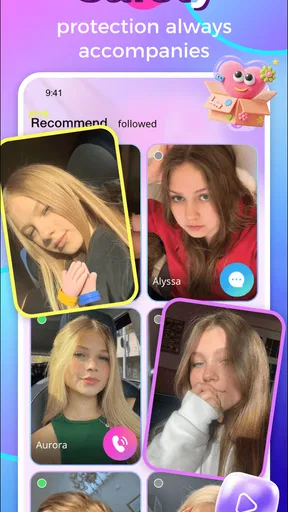
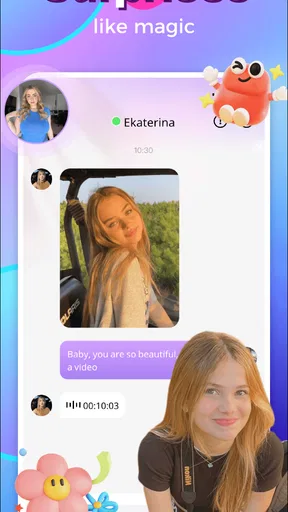
- Simple interface makes browsing and connecting relatively straightforward.
- Useful for practicing languages through spontaneous conversations.
- New profiles and conversations can be discovered quickly.
Cons
- Some users may behave inappropriately during random video chats.
- The quality of conversations depends heavily on who is online.
- A stable internet connection is required for smooth video calls.
- Privacy can be a concern when chatting with unknown people.
- Frequent notifications may become distracting during regular use.
FAQs for Magic: Online Video Chat
What is Magic: Online Video Chat?
Magic: Online Video Chat is a social communication app designed for meeting people through live video conversations. It may let you discover other users, start one-to-one chats, send messages, and interact in real time. The exact features can vary by version, region, and device, so check the current store description before downloading and review the available privacy and account settings.
Is Magic: Online Video Chat free to download and use?
The application may be available as a free download, but some functions can require in-app purchases, credits, subscriptions, or other paid options. Video calls and premium interactions may also consume mobile data. Before confirming a purchase, carefully check the price, billing period, and renewal terms shown in the app store, particularly if the service offers automatic subscription renewal.
Is Magic: Online Video Chat safe for children?
This type of live video-chat platform is generally intended for adults or users who meet the minimum age stated by the developer and app store. Because conversations involve strangers and user-generated content, parents should not assume that every interaction is moderated or suitable for minors. Use reporting and blocking tools, avoid sharing personal details, and review the privacy policy before creating an account.
What permissions does Magic: Online Video Chat require?
A video-chat application commonly requests access to the camera and microphone so you can participate in live calls. It may also request notifications, photos, contacts, or storage access depending on the features you use. Grant only permissions that are necessary, and deny or revoke anything that seems unrelated. You can manage these permissions later through your Android or iOS privacy settings.
How can I protect my privacy while using Magic: Online Video Chat?
Avoid sharing your full name, home address, workplace, passwords, financial information, or private images with people you meet in the app. Use a strong, unique password and enable available account-security options. If someone behaves suspiciously, end the conversation and use the block or report function. Also remember that live video can be recorded by others, even when the app does not provide a recording feature.


